
Custom software development for businesses: a practical guide to planning, hiring and getting it right
Almost every company considering custom software development arrives at that conversation after trying everything else first. They started with shared spreadsheets, then subscribed to two or three cloud tools that promised to cover every need, and once they realised none quite fitted how they quote, coordinate orders or serve clients, they bridged the gaps with emails and manual work. The outcome is familiar: the team spends hours every week moving data between screens and leadership never gets a reliable real-time view of operations. This guide explains how to decide whether custom software makes sense for your business, how to plan it in phases, what to require before signing and how to avoid the mistakes that inflate these projects.
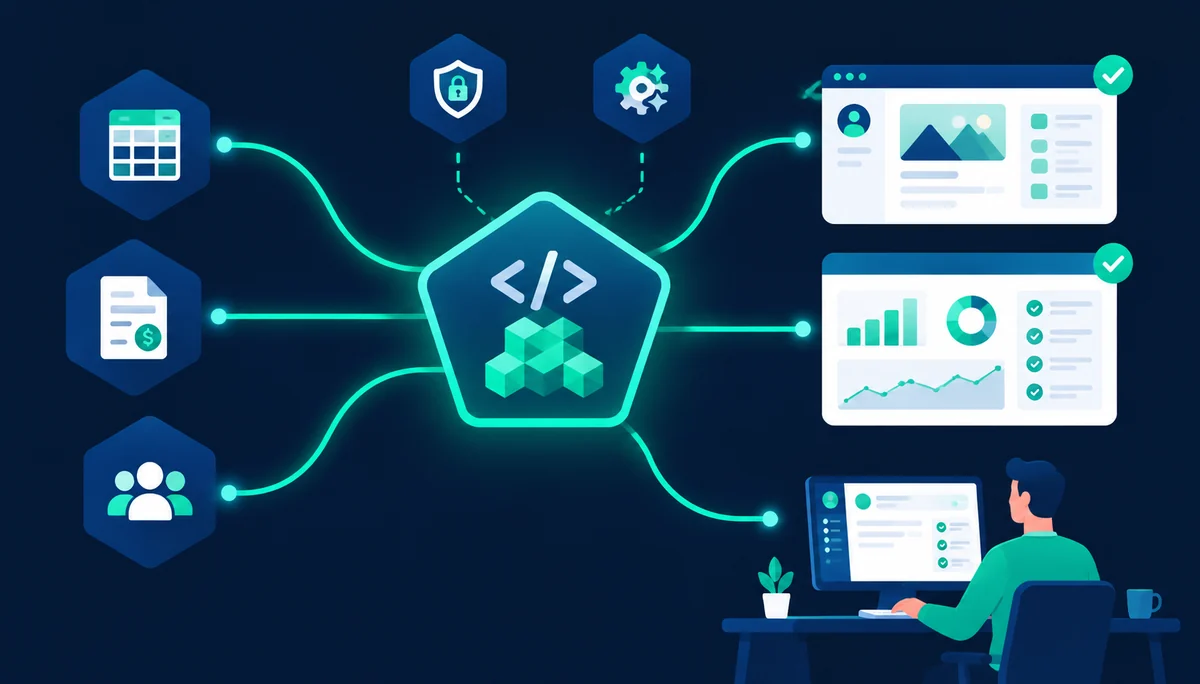
What custom software development means today (and why it is no longer an endless project)
For many years, talking about custom business software conjured an unattractive picture: a full year of analysis, tens of thousands of euros spent before seeing a single working screen and a rigid system only the original vendor could touch. That memory still holds many leaders back, yet today the technical reality is very different.
Today, building a tailored application rarely means reinventing the wheel from scratch. Managed databases, modern authentication, mature interface libraries and standard APIs from the tools you already use let almost all effort focus on your own business logic: your pricing rules, your case statuses, your internal approvals and the experience you offer clients. What is common across companies rests on proven building blocks; what sets you apart is built to measure.
This shift directly reduces project risk. Instead of betting everything on one massive handover twelve months from now, it is far more sensible to work with incremental deliveries: define the workflow creating the most friction, put a first useful module into production with real users and decide on further phases with evidence in hand.
Seven operational signs your business needs custom software
Not every business needs to build its own application. If your operation fits cleanly inside an off-the-shelf ERP or CRM, forcing a custom build is usually a mistake. When several of these signs appear together, however, the hidden cost of improvising often outweighs the investment in a tailored tool:
- A spreadsheet holds up a critical process: complex quotes, technician scheduling, case tracking or project margins live in files only one or two people dare edit without breaking formulas.
- The team retypes the same data in three places: an order arrives by email, someone enters it into the CRM, another person copies it into the ERP and a third updates a tracking sheet to notify the client.
- You pay per-seat licences for features you barely touch: as headcount grows or you need to give access to clients and external partners, SaaS per-user pricing escalates or pushes teams into sharing logins.
- You bent your workflow to fit a standard tool: your competitive edge lies in how you calculate rates, deliver documentation or coordinate milestones, yet off-the-shelf software forces daily manual workarounds.
- Clients rely on email or phone calls to check status: every status enquiry interrupts operations because there is no clear space where clients can see progress, documents or pending approvals.
- You cannot get a reliable metric without manual month-end work: every leadership report requires exporting files from multiple tools, cleaning duplicates and merging columns for half a day.
- Human errors start costing money or trust: outdated versions sent to clients, invoices with wrong line items, missed deadlines due to missing alerts or poorly controlled access to sensitive documents.
Which types of custom software deliver the strongest return in SMEs
Across professional services firms, engineering consultancies, advisory practices, distributors and companies managing clients, orders or documentation, custom development usually falls into four clear families. All share one trait: they target daily friction measurable in hours and service quality.
Client portals and private document areas
They bring into one authenticated workspace everything currently scattered across email: job status, document delivery and approval, request history, signed quotes and automatic reminders when a file is missing. They sharply reduce follow-up calls and project an organised, trustworthy image from day one.
Internal operations, quoting and tracking tools
These are applications shaped around the exact way your team produces and delivers. They include quote builders with your pricing rules and margins, case boards with owners and deadlines, work logs, two-step approvals and cross-team task routing. They replace fragile spreadsheets with permissions, audit trails and automatic validation.
Integration and synchronisation layers between systems
Sometimes you do not need a large new interface, but a dependable bridge between what you already run: connecting your website and forms to the CRM, syncing approved orders with the accounting ERP, matching delivery notes against invoicing or consolidating data from several branches into an automatically updated dashboard.
AI-assisted workflows with built-in human review
When invoices, contracts, emails or requests grow in volume, embedding AI capabilities inside your own tool lets you classify incoming items, extract key fields, flag anomalies and draft responses. The difference compared with a generic chat window is that rules, permissions and the human review queue live inside the software itself.
The hybrid approach: combining off-the-shelf software with custom pieces
One of the costliest mistakes in technology projects is framing the choice as all or nothing: either do everything inside off-the-shelf tools or code even accounting from scratch. In practice, the most cost-effective architectures for growing businesses are hybrid.
Accounting, tax filings, payroll and corporate email are highly standardised processes subject to frequent regulatory updates. Relying on established platforms and keeping them clean—without invasive customisations that break every upgrade—makes far more sense there. If you are weighing where to draw that line, our guide on custom software vs a SaaS tool explores the trade-offs in detail.
Custom development steps in precisely where standard software falls short or forces awkward workarounds: your client portal, your quoting workflow, complex case management, document capture and validation, or the connector tying those pieces into your ERP via API. That gives you the best of both worlds: regulatory stability in commodity functions and genuine operational leverage in what makes you competitive.
Phases of a well-run custom software development project
The difference between a build that ships cleanly and one that drags on is rarely the programming language; it is the delivery method. An orderly project moves through clear stages, each with a verifiable deliverable before advancing to the next.
1. Discovery and scope definition
Actual workflows are mapped alongside the people who run them every day, not only management. Inputs, outputs, common exceptions, user roles and required integrations are documented. At the end of this stage there should be a clear scope document stating what is included in the first release, what is deliberately excluded and the acceptance criteria.
2. Functional design and clickable prototype
Before writing most of the code, key flows and screens are validated. Catching a workflow change in a prototype costs a tiny fraction of reworking database schemas and built logic. Technical architecture, data modelling and permission design are also locked down here.
3. Incremental development in demonstrable milestones
Rather than disappearing for months, the engineering team delivers working increments every few weeks in a staging environment where you can test the real system. If a new need appears mid-way, it is scoped and approved separately as a scope change, keeping budget and schedule under control.
4. Real-world testing and controlled migration
Both normal flows and edge cases are tested: incomplete data, restricted roles, external connection failures and realistic volumes. If legacy records must be migrated from spreadsheets or an older system, data is cleaned before import and at least one full dry run is executed prior to cutover.
5. Go-live, training and optional evolution
Launch is paired with concise role-based training and close monitoring during the first days of live use. From there, corrective maintenance, monitoring and future enhancements should be structured transparently and optionally, kept separate from direct infrastructure or third-party service costs.
How to prepare a clear scope brief before requesting proposals
Many companies get frustrated when they request three quotes for custom software development and receive wildly different numbers. The reason is almost always the same: the initial brief was too broad, so each vendor filled in the blanks with different assumptions.
You do not need a hundred-page technical specification or engineering background to avoid this. A clear two-to-three-page brief covering six concrete points is enough:
- The current problem in business terms: which process is breaking down, how many people are involved, monthly volume and the operational impact (hours lost, delays, errors or lack of visibility).
- Who will use the tool: internal roles (leadership, operations, finance, sales) and external users (clients, suppliers or partners), stating what each role should see or edit.
- End-to-end core journey: the five to ten steps a case, order or request follows from intake to closure, highlighting the most frequent exceptions.
- Systems it must coexist with: ERP, CRM, email, document storage or gateways already in use, noting whether they provide an API or structured exports.
- Must-haves for release one vs later phases: separating the operational core from nice-to-haves lets you launch sooner and invest with focus.
- Real constraints: applicable regulations, data residency requirements, key commercial dates or seasonal peaks.
Why scope drives the budget
The investment in custom development always depends on actual scope: number of workflows, complexity of business rules, third-party integrations and level of customisation. If you want a detailed breakdown of the line items that shape a quote and how to compare proposals rigorously, see our guide on how much custom software costs.
Code ownership, infrastructure and security: what must be put in writing
One of the main reasons to choose custom software is gaining autonomy. Yet that autonomy only exists in practice if both the contract and technical architecture back it up from day one. Before development begins, four core points deserve careful review.
1. Intellectual property and source-code handover
In Spain, computer programs are protected under the Intellectual Property Act (Royal Legislative Decree 1/1996, Title VII). For that reason, the agreement should specify clearly which exploitation rights transfer to the client upon payment, how custom work is distinguished from open-source libraries or reusable foundations, and ensure source code and technical documentation remain accessible in a repository under your company’s control.
2. Infrastructure and accounts in your company’s name
Your domain, cloud hosting, database, transactional email and third-party APIs should ideally sit in accounts owned by your company, with technical access granted to the development team. That prevents vendor lock-in if you ever switch partners or bring maintenance in-house, while giving you full visibility into the real cost of every external service.
3. Data protection (GDPR) and role-based access control
The General Data Protection Regulation (Regulation EU 2016/679) requires privacy by design and by default. In practical software terms, that means strong authentication, least-privilege role permissions, encryption in transit and at rest, audit logging on sensitive actions and clear mechanisms to export or erase personal data when required. If your project handles sensitive personal data, validate legal alignment with your legal counsel or data protection officer.
4. Backups, separated environments and continuity
No serious production software should be edited directly against live customer data. Require at least two separated environments—staging and production—automated backups with periodic restore checks, and enough documentation for another qualified engineer to deploy and maintain the application without starting from scratch.
A portal that fits the way you work.
Tell us which documents, tasks and users you need to coordinate. Your workflow is the starting point for defining suitable custom software.
How to choose a custom software development partner without getting burned
When searching for a partner you will encounter very different profiles: solo freelancers, large consultancies and focused teams specialising in business software and automation. Beyond company size, objective criteria separate a reliable partner from one likely to cause friction down the road:
- Asks about your process first, not trendy tech: be wary of anyone pitching a complex architecture or buzzword stack before understanding how you sell, deliver and invoice.
- Proposes a focused first scope with verifiable milestones: a good partner helps trim non-essentials from phase one so you see value sooner, rather than inflating the project upfront.
- States exclusions, assumptions and recurring costs transparently: you should know exactly what is included, what requires separate approval, what third-party costs apply and how optional post-launch support works.
- Keeps clear technical accountability for delivery: even when a project involves specialist skills (such as interface design, security or specific integrations), there must be one accountable technical lead responsible for overall coherence.
- Builds on standard, maintainable technology: avoiding obscure stacks or closed proprietary frameworks protects your investment over the long term and keeps hiring or handover straightforward.
- Speaks realistically about timelines and limits: anyone promising guaranteed outcomes, miracle timelines before inspecting your integrations or “AI that does everything unattended” usually shifts the pain to delivery day.
Artificial intelligence and custom software: two layers worth separating
Today almost every custom software development proposal mentions artificial intelligence, yet many blur two completely different things. Separating them helps you evaluate what you are actually buying.
Layer 1: AI as an engineering aid during development
Modern engineering teams use AI-assisted tools to speed up boilerplate coding, generate tests or explore prototypes faster. That can improve agility in early stages, but it does not replace architectural judgement, human code review or security testing. Unsupervised generated code introduces technical debt and silent bugs that prove expensive later.
Layer 2: AI embedded inside your software as a business capability
This is where your team feels the daily impact: your custom tool incorporates AI models precisely where they save operational hours—reading invoices and delivery notes, classifying files in a portal, summarising long case histories or drafting sales replies. To stay reliable, AI must operate within clear rules, with traceability back to source data and human review on exceptions.
In addition, if your software includes AI features in the European Union, keep in mind the EU AI Act (Regulation EU 2024/1689), which sets obligations by use-case risk level, transparency duties when users interact with an AI system and human oversight requirements.
Seven risks that derail a custom software project (and how to prevent them)
Most problems in software projects do not stem from bad faith, but from avoidable decisions in the opening weeks. Knowing the seven most common pitfalls lets you put safeguards in place before starting:
- Trying to fit the whole company into release one: the wider the initial launch, the longer value takes to arrive and the more the business shifts mid-build. Start with one high-impact workflow and expand later.
- Designing without the people who will use the tool: when software is specified solely in a boardroom, it often clashes with day-to-day reality and staff drift back to spreadsheets.
- Underestimating legacy data cleanup and migration: importing duplicate clients, outdated price lists or incomplete cases pollutes the new system from day one. Clean data before migrating.
- Leaving external integrations until the end: if your tool relies on an ERP, payment gateway or industry platform, validate that connection in the opening weeks so API limits surface early.
- Approving ad-hoc changes without measuring impact: seemingly small additions (“while you’re there, add this too”) pile up and derail dates and budgets unless handled as separately approved scope changes.
- Not naming an internal owner with decision authority: when nobody inside the business has time to review screens, answer workflow questions and sign off milestones, the project stalls every week.
- Forgetting the post-launch phase: the first month of live use always reveals helpful refinements. Planning ahead how incidents and improvements are handled avoids bottlenecks right as the team adopts the tool.
Practical scenario: from three spreadsheets and scattered emails to a connected operation
To ground how these pieces fit together, imagine a technical services and industrial maintenance company with 28 people: 4 in management and finance, 4 in sales coordination and 20 field technicians. They already run an accounting ERP that handles invoicing and tax cleanly, and they have no desire to replace it.
Their real bottleneck sits before the invoice. Each client request arrives by email or phone, coordinators calculate quotes in a spreadsheet whose rates vary by contract, field job sheets arrive as PDFs or chat photos and finance spends two mornings every week matching signed job sheets against quotes before billing. Meanwhile, clients call daily asking for ticket status or old compliance certificates.
The decision: hybrid approach and two-phase rollout
Instead of replacing the ERP or subscribing to four disconnected SaaS tools that would need patching together, the company opts for a modular custom build connected to its existing ERP via API:
- Phase 1 (internal operational core): unified request intake, quote builder using real contract rates with visible margin, work-order dispatch to technicians with mobile sign-off and validated export to the ERP so finance issues invoices in one click after review.
- Phase 2 (client portal and AI document layer): private workspace where each client tracks open tickets, downloads certificates and approves quotes online, plus AI-assisted reading of supplier material delivery notes to allocate costs to each work order with human review on discrepancies.
What changes in day-to-day operations
The ERP stays intact and clean, while manual copying across three systems disappears. Coordinators stop rebuilding quotes from outdated templates, finance receives complete job sheets linked to their work order from the start, and clients no longer rely on email to fetch a certificate. Each phase is judged on simple metrics: weekly hours spent reconciling job sheets, average quote turnaround time and share of status checks resolved in self-service.
How to measure return and adoption after go-live
A common mistake after launching custom software is treating the project as finished on go-live day. Real value emerges over the next ninety days, once the team drops old workarounds and the application becomes the single source of truth. To verify whether the investment is paying off and decide where a second phase makes sense, track five straightforward indicators from week one:
- Administrative hours recovered per week: compare the real time staff spent retyping data, assembling reports or reconciling documents before launch against the first full month of live operation.
- Cycle time of the core workflow: from incoming request to sent quote, from approved order to delivery, or from signed job sheet to issued invoice.
- True adoption rate by role: what share of cases, orders or enquiries are handled end to end inside the system versus those still handled over email or stray spreadsheets.
- Errors and rework avoided: credit notes caused by mistyped figures, delays from unassigned tasks, duplicate documents or alerts that used to get lost in chat threads.
- Client self-service and leadership visibility: fewer repetitive status calls and the ability to inspect margins, workload or bottlenecks in real time without waiting for month-end.
Supporting internal adoption matters as much as the code
Even a well-engineered tool struggles if staff feel it was imposed without context or if it duplicates work for months. Naming a champion per department, collecting small usability refinements during the first two weeks and retiring legacy spreadsheets on an agreed cutover date speeds up adoption dramatically. If you want to estimate impact before building, our guide on calculating automation ROI walks through a practical method.
Six-week roadmap to get your first module off the ground
If you are ready to move forward, this sequence takes you from initial idea to a tangible first deliverable with controlled risk and verifiable decisions each week:
- Week 1 — Bottleneck map: pick a single workflow with measurable friction, measure how much time it consumes today and gather real samples of documents, spreadsheets and exceptions.
- Week 2 — Locked Phase 1 scope and prototype: define roles, core screens, essential integrations and what stays out of release one; validate the flow with end users before coding.
- Week 3 — Technical foundation and critical integration: stand up staging, configure authentication and role permissions and validate the connection to your ERP, CRM or data store early.
- Week 4 — Core workflow build: implement the full end-to-end journey (for instance, from request to approved order or from document to validated record) and hold the first live functional review.
- Week 5 — Exceptions, real-data testing and refinements: add validations, alerts, fine-grained permissions and testing with real cases from your team; smooth out any usability friction discovered.
- Week 6 — Controlled go-live and measurement: run brief team training, go live with an initial group or the scoped workflow, review baseline metrics and decide with real evidence whether to open phase two.
Frequently asked questions about custom software development
How long does it take to see real results?
It always depends on scope and required integrations, yet the usual mistake is assuming you must wait a full year. When a project is phased and starts with the module consuming the most hours today, a first usable release can often be reached in weeks rather than months, then expanded safely.
Do I have to replace my ERP or CRM to build custom software?
No, and for most businesses the opposite is true. The most efficient route is usually keeping your ERP or CRM for what it already handles well and building custom pieces—a portal, a quote builder, an operations workspace or an automation—connected to those systems.
What happens if my business changes and I need new features later?
That is one of the biggest advantages over closed off-the-shelf software. With a modular architecture, documented code and clear repository ownership, enhancements are scoped and planned in phases as your business evolves, without waiting for an external vendor to add your feature to its roadmap.
Are maintenance and hosting included or separate?
The cleanest and most transparent setup is keeping them separate. Hosting, database and third-party API usage costs should be explicit and ideally billed on your own company accounts. Post-launch support or ongoing enhancements are arranged optionally based on the level of backing you want.
How do I know whether process automation or a custom application fits better?
If your existing tools already provide a good interface for staff and you only need to move data or extract information from documents without retyping, a well-connected automation is often enough (see our guides on AI document management and which tasks to automate first). If you also need tailored screens for your team or a permissioned portal for clients, combining a custom application with automation makes more sense.
What is the practical first step to assess my case with no obligation?
Gather the single workflow costing you the most time today, the tools you already run and the two or three exceptions that recur most often. You can explore our operations and tasks demo to see how a tailored internal tool is structured, or complete our free assessment: we will review your specific case and tell you honestly whether a standard setup, targeted automation or phased custom development fits best.
Technical references and editorial scope
Original Pentatronik content. These sources support the technical concepts; examples and calculations are illustrative, not client results or guarantees.
See it in action
Walk through a guided demo with fictional data, or tell us your case and we’ll suggest where to start.