
Task automation in business: what to automate first, with examples by department
Almost every business has an invisible list of tasks nobody chose to do: copying data from an email into a spreadsheet, reminding a client that a document is missing, preparing the same report every Monday. Nobody sees them as a problem because, one by one, they take a few minutes. Added up, they eat whole days of work every month. This guide helps you find which of those tasks are worth automating, in what order and with what kind of tool, so that task automation turns into recovered time rather than a never-ending project.
What automating a task means (and what it doesn’t)
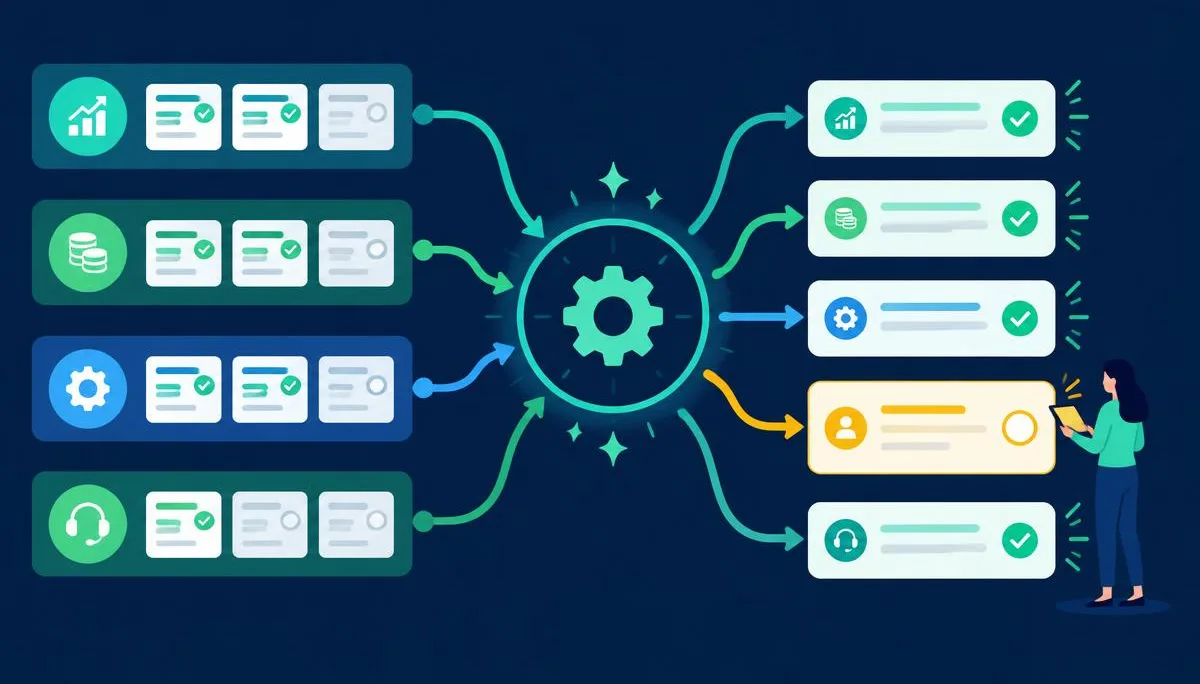
Automating a task means getting a system to do, without manual work, a step a person does today by always following the same rules. It can be as simple as sending an alert when a form arrives or as elaborate as reading an invoice, extracting its data, checking it against an order and posting it to accounting.
What it does not mean is replacing your team’s judgement. The best automations remove the mechanical part of the work and leave people the part that needs judgement: deciding, negotiating, handling an odd case or talking to an upset client. If an automation forces your team to watch it constantly, it isn’t saving work; it’s just moving it somewhere else.
It is also worth separating automating tasks from automating processes. A task is one specific step (sending a reminder); a process is the whole chain (from a client asking for a quote until it is accepted and invoiced). Starting with individual tasks brings quick results; connecting the whole process is where the biggest savings appear. The sensible path is to move from the first to the second.
How to recognise a task that is asking to be automated
You don’t need an audit to begin. Just observe a normal working week and note the tasks that show several of these signs. The more signs a task shows, the better a candidate it is:
- It repeats often: daily or several times a week, always in a similar way.
- It follows rules that can be explained: if a newcomer could do it with an instruction sheet, a system can too.
- It consists of moving information: copying, pasting, forwarding, renaming or transcribing data between tools.
- It causes careless errors: mistyped amounts, duplicate clients, forgotten emails.
- It delays other people: someone waits for it to be done before they can carry on.
- Nobody wants to do it: boredom is a reliable sign of work that adds no human value.
Examples of tasks you can automate by department
The best way to spot opportunities is to look at concrete cases. These examples come up again and again in small and mid-sized companies across very different sectors; you will probably recognise several.
Sales and lead generation
The moment a new enquiry arrives is critical: the longer the first reply takes, the cooler the interest gets. Automating here has a direct impact on sales.
- Automatically logging every enquiry from the website, email or a form into the CRM, without duplicates.
- Sending the client an instant, personalised confirmation and alerting the responsible salesperson.
- Scheduling follow-up reminders when an opportunity has had no activity for days.
- Generating quotes from a price list and pricing rules, ready to review and send.
Administration and finance
This is the area with the most paperwork and therefore one of the first to feel the change. Data is structured, rules are clear and mistakes cost money.
- Reading supplier invoices that arrive by email and extracting supplier, date, base amount, taxes and total.
- Matching each invoice with its order or delivery note and flagging only the ones that don’t match.
- Issuing recurring invoices and sending friendly payment reminders before and after the due date.
- Preparing bank reconciliation by suggesting which invoice each transaction belongs to.
Operations and project management
In operations the problem is rarely one specific task but coordination: knowing who has what, what state it is in and what is missing.
- Creating tasks and assigning owners automatically when an order comes in or a project is signed.
- Alerting when a task nears its deadline or gets stuck.
- Updating an order’s status in every tool at once instead of in three different places.
- Generating work reports or progress updates from what the team already records.
Customer service
Many questions repeat: where is my order, how do I change an appointment, which documents do you need. Answering them well and fast improves the experience without adding staff.
- Sorting incoming emails by topic and urgency and routing them to the right person.
- Drafting replies to frequent questions for a person to review before sending.
- Offering a portal where clients check the status of their case and upload documents without writing an email.
- Requesting feedback after closing each case and raising an alert when the score is low.
Human resources
HR handles highly repetitive processes and sensitive data, so automation should be careful and come with well-defined permissions.
- Preparing onboarding: user accounts, welcome documents and first-day tasks.
- Managing holiday and absence requests with approval and a shared calendar.
- Reminding staff when certificates, mandatory training or medical checks are about to expire.
Management and reporting
Management often gets information late and assembled by hand. Automating reports changes the conversation: you go from preparing data to making decisions with it.
- Gathering sales, collections, orders and workload in a dashboard that updates itself.
- Sending a Monday summary with key indicators and deviations that need attention.
How to prioritise: value, frequency and risk
Once you have the list, the temptation is to automate everything. It is better to resist. Choose first what frees the most time with the least risk, prove the result and use that example to decide the next step. A simple method is to score each task from 1 to 5 on four criteria:
- Time it consumes: hours per month spent on it today, counting everyone involved.
- Impact of errors: what happens if it is done wrong or late; a lost payment weighs more than a badly named file.
- Clarity of rules: if exceptions are few and known, the automation will be reliable sooner.
- Technical ease: whether the tools involved can be connected (they have an API, export data, receive emails).
Which kind of tool to choose
Tasks scoring high on time and clarity, and acceptable on technical ease, are your first candidates. Those with high impact but fuzzy rules usually need a little work tidying up the process first; automating chaos only produces chaos faster. If you want to put numbers on the decision, our guide on calculating the return of automating a process explains how to turn hours and errors into euros.
There is no universal tool. The choice depends on how many systems need connecting, how much business-specific logic you have and who will maintain the solution. These are the most common options, from least to most effort:
Features you already have and don’t use
Before buying anything, review your current tools. Many invoicing, CRM or email programs include rules, templates and basic automations that nobody has configured. It is the cheapest saving there is.
No-code integration platforms
Tools such as Zapier, Make or n8n connect applications with “when this happens, do that” flows. They are ideal for well-defined tasks between popular tools. Their limit appears when flows multiply, rules get complicated or cost per run grows with volume. In another guide we compare in detail when n8n makes sense versus Make and Zapier.
RPA: robots that mimic clicks
Robotic process automation (RPA) replays what a person would do on screen: open a program, copy a value, click a button. It is useful when an old system offers no other way to connect, but it is fragile: a change on screen can break the robot. It is best seen as a temporary bridge, not the foundation of your operations.
Artificial intelligence for unstructured work
AI opens the door to automating tasks that used to be impossible because information arrived without structure: freely written emails, invoices in different layouts, scanned documents. A model can read, classify and extract their data, while a person validates doubtful cases. The key is to measure its accuracy on real documents before trusting it with the process.
Custom development
When the process is central to your business, has its own rules or links several systems with sensitive data, a custom solution is usually more robust and cheaper in the long run than chaining tools together. It doesn’t have to be a big project: often it is a light layer that connects what you already use and adds only what is missing.
What you shouldn’t automate (yet)
Knowing what to leave out matters as much as choosing what goes in. There are tasks where full automation takes away more than it adds, at least at first:
- High-impact decisions: approving a large payment, rejecting a client or dropping a supplier. The system can prepare the information; the decision belongs to a person.
- Delicate relationships: a serious complaint or a negotiation deserves a human conversation, even if the reply starts from a draft.
- Processes that change every week: if the rules aren’t stable yet, they must be agreed first.
- Tasks done twice a year: automating them often costs more than continuing to do them by hand.
A practical case: from twenty emails to one dashboard
Picture a maintenance company that receives service requests by email, phone and a web form. An office worker copies them into a spreadsheet, calls the available technician, waits for the signed work report, scans it and, at month end, prepares invoices by going through all that paper. None of it is hard, but it takes up a good part of their day and every link is a chance to forget something.
The first step wouldn’t be automating everything, but the most repetitive part: every request logs itself with the client’s details and lands in a shared dashboard. The second: the technician closes the report from their phone with a photo and signature. The third: that closed report creates a draft invoice. Three small deliveries, each useful on its own, which together transform the process. The office worker doesn’t disappear: they move from transcribing to coordinating, looking after clients and solving whatever falls outside the norm.
Let’s start with a repetitive process.
Describe the task, the tools you use and common exceptions. We’ll review what can be connected and where human oversight should remain.
A five-step plan to start this month
If you want to move from idea to something that works, this order avoids the most common mistakes:
- 1. Take inventory for a week. Ask each person to note the repetitive tasks they do and how long they take.
- 2. Score and pick a single task. Use the value, frequency and risk criteria and keep the best candidate.
- 3. Map the real process, not the ideal one. Include the exceptions: they decide whether the automation will work.
- 4. Automate with human review at first. For a few weeks, a person validates results before they go out.
- 5. Measure and decide the next step. Compare hours and errors before and after. With that figure, choosing the second automation is much easier.
How to involve the team so the automation actually gets used
A technically perfect automation can fail if the team doesn’t adopt it. It is common for someone to keep their spreadsheet “just in case” or to forward emails as before because they don’t trust the new flow. This isn’t irrational resistance: people protect what they know works. The way to earn their trust is to involve them from the very beginning.
Ask whoever does the task to walk you through it with a real case, in front of the screen. You will hear details that never appear in a document: the client who always sends invoices in two parts, the supplier who changes format every quarter, the alert accounting needs when an amount exceeds a certain figure. Those exceptions are gold: if the automation covers them, the team will see it was designed around their daily work.
Then run the automation in parallel for a short period: the system proposes and the person confirms. When results match time after time, the team itself will ask to stop checking the simple cases. That moment, not the delivery date, is the real launch. Celebrating it and sharing the time saved helps the next automation be welcomed eagerly rather than warily.
What to ask before commissioning an automation
If you decide to work with an external provider, a few questions will help you tell a solid proposal from one that will cause problems six months later. It isn’t about testing anyone, but about making sure the solution will be yours, understandable and maintainable:
- What happens when something fails? There should be a clear alert and a simple way to pick the case up by hand.
- Where is my data stored and who can access it? Ask for a plain-language explanation, including any use of AI services.
- Will I be able to see what the system did? An activity log lets you audit results and settle questions with clients or suppliers.
- Who can change it if my rules change? Ask whether your team will be able to adjust simple settings without always depending on the provider.
- What are the recurring costs? Licences, runs, AI usage and maintenance should be visible from the start, not on the first invoice.
- How will we measure the result? A good proposal includes baseline figures and a concrete target, such as hours saved or response time.
Common mistakes when automating tasks
Most disappointing automation projects don’t fail because of technology but because of how they are approached. These are the stumbles that repeat most:
- Starting with the most complex task because it hurts most, instead of the one that proves value fastest.
- Not involving the person who does the task today. They know the exceptions and will be the one using the result.
- Building flows nobody understands. If only one person knows how an automation works, the day they leave it becomes a black box.
- Forgetting failure alerts. Every automation should warn when something doesn’t go as expected instead of failing silently.
- Neglecting data protection. Check what information travels to each tool, where it is stored and who can see it.
How to know whether it worked
An automation is worth what can be proven. Before launching it, write down three starting figures: how much time goes into the task, how many errors or delays occur and how long the result takes to reach whoever needs it. After a month, measure them again.
Also look at what doesn’t show up in a spreadsheet: whether the team trusts the system, whether clients get answers sooner and whether the people who used to do the task now spend that time on something more valuable. An automation that is only half used isn’t finished; it usually points to an exception nobody considered or an unclear screen, and is often fixed with a small adjustment.
Frequently asked questions about task automation
Do you need to be a large company to automate?
No. In fact, small businesses often feel the effect sooner because a few freed hours represent a bigger share of the team’s capacity. What matters is starting with one specific task rather than a big project.
Does automation take away jobs?
In most small businesses what disappears is not jobs but the tasks nobody wanted to do. Recovered time goes into serving clients better, selling more or absorbing growth without overloading the team. Explaining it this way from the start makes adoption much easier.
How long until results show?
A simple automation between two tools can be running within days; a process involving AI and several integrations needs weeks of testing with real data. In both cases it pays to plan small deliveries so the benefit arrives early rather than at the end of the project.
Is it safe to automate with artificial intelligence?
It can be, if designed carefully: choosing where data is processed, limiting what information the model receives, keeping human review for doubtful cases and logging what the system does. We cover these points in our guides on private AI and on AI and data protection.
Conclusion: automate the repetitive to make room for what matters
Task automation isn’t about filling your business with robots; it’s about no longer paying with your team’s hours for work a system can do better and without getting tired. Start with a frequent task that has clear rules and is easy to measure; prove the saving; and move on to whole processes once the team trusts the result. If you want to see how it would look in your case, try our operations demo or tell us which task you’d like to get off your plate and we’ll point you to the best first step.
See it in action
Walk through a guided demo with fictional data, or tell us your case and we’ll suggest where to start.