
System integration for businesses: connecting ERP, CRM and operations without duplicate work
Does your team retype CRM information into the ERP, send emails to open projects or manually update statuses customers ask about? System integration can remove those handovers without making you replace every tool. This guide explains how to select a useful first connection, what to verify before contracting and how to keep data, permissions and outcomes under control across applications.
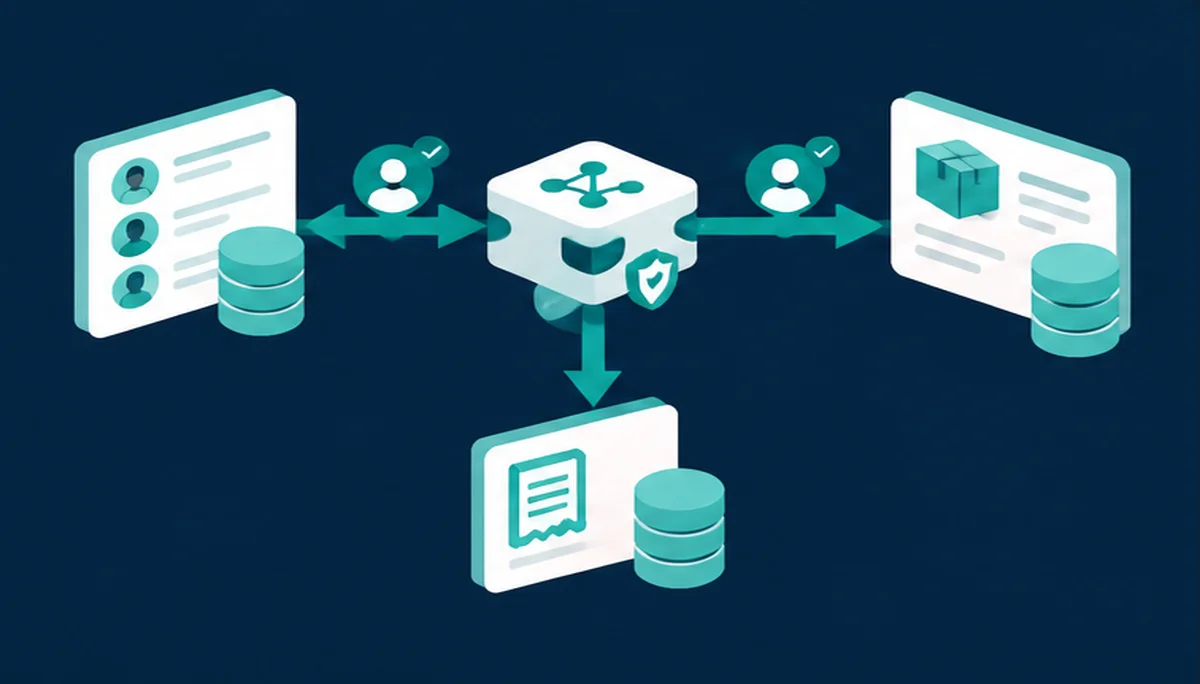
System integration: what it solves and what it does not
A business can own good tools and still struggle between them. The CRM holds sales conversations, the ERP organises orders and invoicing, a spreadsheet coordinates an exception and email contains an agreement never transferred elsewhere. System integration connects these workflows so that an action produces a useful, verifiable outcome in another application. It does not mean copying everything everywhere or automatically replacing existing software.
The difference becomes clear through an everyday question: what happens when a proposal is accepted? If someone must create the customer again, notify operations, copy quote lines and ask administration to check billing information, several manual handovers hold the process together. An integration can prepare these steps, show what has finished and pause anything needing a decision. Its value lies in removing repeated work without removing accountability, not in the connection itself.
Nor does integration repair a contradictory process on its own. If sales treats an order as accepted while administration cannot yet invoice it, connecting those statuses merely accelerates the disagreement. Before building anything, describe the business fact that starts the work and the outcome each team expects. That conversation often uncovers more opportunities than a list of applications does.
When to integrate and when to change the process
Integration deserves evaluation when current applications fulfil their main roles but the team loses time moving information between them. An advisory firm may keep its accounting package and add a portal showing missing documents. A service company may retain its CRM and connect accepted proposals to project creation. A distributor may need confirmed orders to stop being entered twice. Replacing the entire system would be a different, much larger decision in each case.
Sometimes waiting is wiser. If nobody owns the correct record, statuses depend on who interprets them or the source application cannot reliably expose information, automation adds another layer to unstable foundations. First you may need to clean duplicates, simplify statuses or configure an existing feature properly. Integration is an intervention on a specific problem, not a compulsory modernisation exercise.
A simple check is to follow ten recent transactions from beginning to end. Note where information was retyped, where someone waited for a response and which mistake caused rework. A repeated handover is a candidate worth investigating. If every transaction varies because unresolved commercial decisions change its meaning, agreeing the process and exceptions probably matters more than connecting the applications immediately.
An application map that actually helps decisions
A useful inventory contains more than names and passwords. For each application, record who uses it, what information it owns, which process depends on it and who can authorise changes. Add version, hosting arrangement, subscription plan and export mechanisms. These details affect feasibility: two companies using the same ERP may have different permissions, modules and connection capabilities.
Then map journeys between teams. A customer may start at a web form, become an opportunity, accept a proposal, move into a case and receive an invoice. You do not need to integrate that entire journey at once. The map helps select a segment and recognise what remains outside scope. It also prevents a new portal becoming another place to type the same information.
To make the document useful in a commercial discussion, add evidence for each handover: a screenshot without personal data, an anonymised sample or an explanation of repeated work. Do not share credentials or complete customer cases when requesting initial guidance. Early evaluation needs the journey and its boundaries, not unrestricted access to your systems. If real information becomes necessary, agree its purpose, safeguards and scope with everyone involved in the project first.
CRM and ERP: deciding who owns each field
A customer record does not mean exactly the same thing in every system. In a CRM it may represent a company with several contacts and opportunities. In an ERP it may be a legal entity with billing address, payment terms and multiple delivery locations. Matching on display name can confuse similar businesses; matching only on email can link a person working for several organisations to the wrong entity.
Start with stable references and explicit mappings. A CRM identifier can link to an ERP identifier through a correspondence table. A validated tax identifier, where relevant, helps check identity but should not automatically become a universal key: international customers, different formats and records without billing information need an explicit exception policy.
Distribute authority by field too. Sales may maintain the operational contact, administration the billing details and operations the delivery status. One application need not control everything, but every field needs a recognised reference. Decide what happens when two people edit the same field, who resolves the conflict and which changes must never be overwritten automatically. Synchronisation then preserves meaning, not merely characters, and teams can trust the result without repeatedly checking each other's screens.
Amounts, taxes and statuses: details that change outcomes
An apparently correct total can hide a different interpretation. One system may send an amount including VAT while another expects the net amount. Withholding tax may appear as a negative line, a separate percentage or a value calculated by accounting software. Currency, decimal precision and rounding rules matter too. Financial calculations must rely on verifiable rules, not unconstrained AI interpretation.
Before automating quotes or invoices, map normal and special cases: line discounts, additional charges, credits, multiple currencies and corrective documents. Require tests to check components, not only the final total. Two compensating mistakes can produce a plausible number while leaving incorrect accounting behind.
Statuses deserve equal care. “Closed” may mean sold in the CRM but completed in operations. “Invoiced” does not mean paid. “Cancelled” may require releasing resources, stopping notifications and preserving records. Write down which transition authorises each change and who may perform it. An old message arriving after a newer one should not move a delivered order back to pending. Integration must recognise the order and validity of changes rather than accepting every update it receives simply because the connection technically succeeded.
APIs, webhooks and scheduled synchronisation without confusion
An API lets one program request or modify another's information through defined operations. A webhook is a notification an application sends when something happens, such as order acceptance. Scheduled synchronisation periodically checks changes. These mechanisms complement each other: a notification may start work, a subsequent request retrieve the complete record and a scheduled review check nothing remains outstanding.
Frequency should follow business needs. A status customers check during delivery may need quick updates. A closing report may tolerate an overnight load. Requesting “real time” for every field adds complexity without necessarily improving decisions. Establish acceptable delay, expected volume and behaviour when a connection becomes unavailable.
Also check that the required operation exists in your edition and subscription plan. Having an API does not guarantee every field is writable, historical data accessible or every event available. Usage limits, module restrictions and version changes can apply. Feasibility is demonstrated with a representative operation and appropriate permissions, not a connector's logo. Before committing scope, verify reading, writing, error identification and behaviour when records already exist. A small technical proof of this difficult step can prevent a large commercial promise built on an untested assumption.
When your software lacks a suitable API
The absence of a useful API does not rule out every improvement. Some applications offer structured exports, file imports or batch exchanges. These may be sufficient to update a report or prepare an administrative draft once a day. Explain when the file is produced, how its integrity is checked and how processing it twice is prevented. An uncontrolled email attachment is not a reliable integration.
Screen automation can address certain cases but depends on a changing interface, sessions and permissions. An update moving a button may break the workflow. Assess maintenance and keep a manual alternative. Do not present it as equivalent to a stable API or use it to evade provider terms or access controls.
Another option is limiting the project to operational assistance: extract a proposal and prepare it for a reviewed import rather than issuing documents directly. An honest partial improvement can be better than fragile full automation. If the software blocks critical operations and replacement is already planned, organising data and waiting for that transition may be wiser than investing heavily in a temporary bridge. The decision should consider the remaining life of the application, not only whether a workaround is technically possible.
n8n, Make, Zapier or custom integration
Visual platforms help connect applications and organise steps but do not remove earlier decisions. A workflow in n8n, Make or Zapier still needs identities, rules, tests, protected credentials and owners. Selection depends on available operations, volume, complexity, data processing location and who will maintain the outcome. No tool is universally cheaper or safer for every case.
A small connection between compatible applications may fit a managed platform. A journey involving specific transformations, permission checks and complex recovery may require custom code or a combination. When the team needs an exception inbox, an automation canvas does not necessarily replace a purpose-built interface. Administration needs to see what action to take, not necessarily edit nodes.
Compare subscription, infrastructure where relevant, design, testing, monitoring and external service usage together. Review current licensing: public access to n8n's code does not mean the absence of commercial conditions. The platform is one part of the service, not the whole project. Require the proposal to distinguish standard configuration from custom development and explain how each part can be maintained or moved if the supplier changes. That distinction makes ownership and ongoing costs easier to assess before committing.
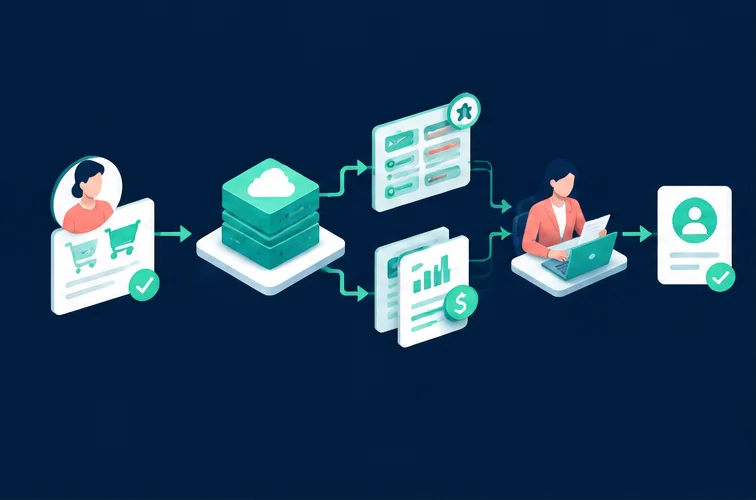
A complete journey: accepted proposal, prepared order
Imagine a maintenance business using a CRM for proposals, an ERP for administration and a task board for coordinating services. Its first integration does not try to manage the entire company. It aims to turn an accepted proposal into a prepared order and a visible task with necessary information, without issuing an invoice yet. Sales should be able to inspect the final status.
The workflow starts by confirming valid acceptance. It checks proposal version, linked customer and required terms. Billing details come from their authorised reference, not free-form text. Missing mandatory information creates an administration exception. Otherwise the order is prepared and its identifier saved. An operational task then receives scope, owner and relevant documents. Each destination confirms its outcome separately.
If the ERP accepts the order but the task board fails to respond, repeating the process must not create another order. Keep the first and retry only the outstanding task. Sales sees “order prepared, coordination pending” rather than a generic success. The process removes manual copying while exposing work previously hidden between emails. Invoicing retains its own authorisation circuit. This example explains design decisions rather than describing a customer installation or promising results for a particular business.
Integrating invoices without confusing extraction and accounting
Reading an invoice with AI and posting an accounting entry are different tasks. Extraction may suggest supplier, tax identifier, dates, amounts, VAT, withholding and lines. Next come consistency, duplicate and order or service checks. Ledger account, cost centre and authorisation may depend on rules and owners absent from the document itself. A useful workflow separates these moments.
An initial phase can place results in a reviewable inbox and send them to accounting software after approval. Keep links to the original, destination record identifier and approving person. If a supplier changes its layout, detect falling extraction quality before errors accumulate. Model confidence does not replace checking amounts.
Distinguish duplicate documents from legitimate repeated transactions as well. Two invoices for the same amount are not necessarily identical; receiving the same file twice warrants a specific check. Issuing, paying and changing fiscal documents need explicit boundaries. Where invoicing-system legal requirements apply, the connection must respect them and be verified with the relevant vendor. Automating a handover does not itself establish regulatory compliance. Keeping this distinction visible prevents a technically convenient workflow from taking on financial responsibilities nobody actually authorised it to perform.
Customer portals and information that may be shown
A connected portal can reduce enquiries about status, documents and next actions. It must not become an unfiltered window into the ERP. Internal statuses may contain information customers do not need, team comments or references to other organisations. Define a specific view: what is shown, when it updates and which authorisation applies to every case.
Customers should see understandable information consistent with reality. If an internal task awaits assignment, “we are organising the service” may be more useful than a technical code. Do not translate a status into a delivery promise nobody has confirmed. Integration can communicate verified facts and the last update without pretending information is continuously available.
Access checks belong on every query, document and action. Being signed in does not establish permission to view any order. A customer working for two businesses needs that relationship represented and the appropriate context selectable. The portal simplifies the experience; authorisation preserves boundaries. During testing, change identifiers and verify that another customer's case cannot be opened. Apply the same care to downloadable documents and AI-assisted search results. A polished interface is not evidence of safe isolation unless the underlying requests enforce the same rules.
What to do when an application fails
Every connection encounters interruptions: a service stops responding, a credential expires or a record fails a rule. The question is not whether this can happen but how it is detected and recovered. A temporary failure may allow retry; invalid data requires correction; insufficient permission needs authorised intervention. Treating all three alike creates pointless waiting or repetition.
Each operation needs a recognisable status and a reference allowing investigation without opening ten screens. Preserve which step finished, what remains and when it was attempted. Owners need actionable explanations: “billing address missing” is better than “error”. Do not pack alerts with personal information or secrets. Operational logs can hold references and failure categories while sensitive information stays in its authorised system.
Agree what happens during a prolonged outage too. You may maintain a queue, suspend new operations or use a controlled manual procedure. When service returns, prevent manual and automatic work from duplicating each other. Recovery does not mean restarting everything; it means completing outstanding work with knowledge of previous state. This capability belongs in scope from the beginning rather than becoming a surprise addition after the first incident. It is part of the operational product, not an optional cosmetic improvement.
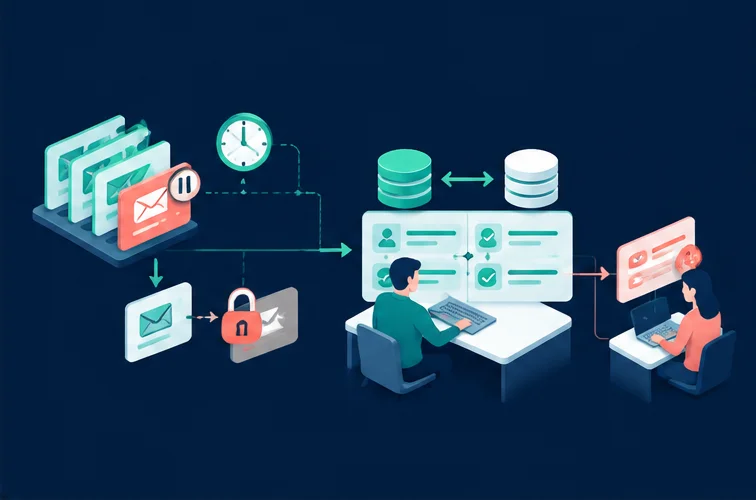
Let’s start with a repetitive process.
Describe the task, the tools you use and common exceptions. We’ll review what can be connected and where human oversight should remain.
Duplicates, retries and changes arriving late
An application may receive the same notification more than once. It may also complete an operation while the response disappears in transit. If the integration interprets that silence as nothing happening and creates another order, duplicates appear. Use a stable operation reference and check what has already been applied. Technically this aims for idempotent behaviour: repeating a request does not improperly repeat its effect.
That does not mean deleting similar events. Two identical-looking orders from one customer may be legitimate. The reference must identify the actual operation, not merely an amount or name match. In a multi-step process, preserve each step's outcome so retries do not repeat completed work. A particularly valuable test interrupts the workflow after the destination accepts the record but before confirmation returns.
Late changes introduce another problem. An old update may arrive after a recent cancellation. Define versions, change markers or permitted transitions according to each system's capabilities. Do not promise an absolute absence of duplicates; require detection, reasonable prevention and tested recovery. Alongside tests, include reconciliation to uncover differences no immediate alert caught. Reliability comes from several complementary controls, not from assuming notifications always arrive once, in order and with perfect information.
Reconciliation: checking that information arrived correctly
Reconciliation compares what should exist with what actually exists in destination systems. Counting green executions is insufficient. A successful request can create a record with an incorrect field. An operation may be missing because it never started the workflow. Someone may also edit information manually afterwards. Review business outcomes, not only technical connections.
For an initial project, define a small set of checks: accepted orders without destination records, destination records without source references, inconsistent amounts or tasks pending beyond the agreed delay. Frequency depends on risk and volume. Assign differences to an owner and allow closure with evidence. A list of alerts nobody handles does not improve reliability.
Reconciliation helps during rollout too. Process a sample, compare it with the manual procedure and explain every difference before expanding. Retain manual work while verification requires it, but avoid two active circuits able to issue or collect the same transaction. The aim is to confirm the business received the intended outcome. Occasionally the investigation reveals a native application feature that solves the handover with fewer moving parts; that is a good analytical conclusion too. The project should favour reliable outcomes rather than maximise the number of custom components.
Security, permissions and data protection by design
An integration accesses information and actions across applications, so its credentials deserve more care, not less. Use accounts or permissions limited to necessary operations, separate testing from production and avoid sharing one person's password for the whole system. Define who may change connections and how access is revoked after collaboration ends. Secrets must not appear in screens, exchange files or operational alerts.
For personal data, identify purpose, applicable legal basis, participating providers, retention and possible international transfers. GDPR requires evaluating the actual processing activity; hosting one component in Europe does not by itself establish compliance across the entire journey. If a platform sends information to an external model, include that step in the assessment. Minimise test data and copies retained in logs.
OWASP's API recommendations help review object-level authorisation, authentication, resource consumption and information exposure. They are not automatic certification. Security is demonstrated through controls and tests appropriate to scope. For sensitive operations, verify that an unauthorised account cannot execute them, another customer's identifier does not expose records and manipulated input cannot alter unintended fields. These checks should form part of acceptance evidence, not merely a reassuring sentence in the proposal.
Where AI adds value and where models are unnecessary
AI can help with variable inputs: interpreting an order email, classifying a document or suggesting a match between descriptions. It is unnecessary for transferring an identifier, checking a sum or applying a defined tax rule. Adding a model to every step increases cost and makes errors harder to explain. Good integration uses the simplest mechanism that achieves the outcome with control.
When AI is included, separate suggestion from action. The model can extract fields and flag uncertainty; rules validate formats and consistency; a person reviews consequential decisions. Incoming documents and messages are information, not authorised instructions to change permissions, recipients or amounts. A phrase in an email must not command the system to act outside its intended circuit.
Measure quality by input category too. Acceptable overall performance may conceal errors concentrated in one supplier or scanned documents. Keep test examples, review model changes and establish when full human review resumes. Do not depend on an unvalidated confidence score. If rules and a good API achieve the goal, omitting AI may be the soundest technical and commercial decision. The project should optimise useful outcomes rather than the number of places where artificial intelligence appears.
What system integration costs and what a proposal should include
There is no responsible price without understanding operations, constraints and required tests. Connecting a simple read differs from coordinating orders with recovery, permissions and multiple destinations. Cost depends on API access, data quality, transformations, volume, exception interfaces, migration and maintenance needs. Licences or subscription upgrades may be separate costs; they should not emerge only after approval.
Request a proposal separating analysis, construction, testing, rollout and support. It should describe the included journey, exclusions, access responsibilities, result validation and acceptance evidence. If a critical connection remains uncertain, assessing that part before fixing overall scope may be sensible. An initial phase reduces risk when it delivers a useful result, not when it postpones every difficult decision.
Clarify ownership of code and configurations, documentation, recurring costs and responsibility for provider changes. Who adapts the workflow if an API changes? What happens when volume increases? Which assistance is included and which is purchased separately? Comparing proposals means comparing service and risk, not merely a number. Avoid generic savings or deadline commitments unsupported by evaluation of your actual systems. A transparent proposal explains its assumptions and the consequences if those assumptions prove wrong during the initial technical checks.
Measuring return without turning hours into promises
Start with a baseline: monthly transactions, active time spent on handovers, waiting time and share requiring correction. Do not mix waiting with active work; removing two days of delay does not free sixteen hours of a person's time. Nor should the entire task count as saved when only part is automated. Include normal cases and exceptions in the sample, not only easy transactions.
As a calculation exercise, assume 240 monthly orders and six minutes of copying each: 24 hours of work. If the automated segment leaves two minutes of review per order and requires three hours of monthly incident handling, recovered capacity would be 13 hours: 24 minus 8 minus 3. These assumptions explain the method; they are neither a Pentatronik estimate nor a guarantee for your company.
Then include operating, monitoring and external service costs. Freed capacity may support faster responses or more work; it becomes financial savings only when a real economic consequence follows. Measure avoided errors, outstanding records and adoption too. An integration nobody uses, or one requiring all manual work to continue in parallel, does not deliver the return its spreadsheet suggested. Recheck assumptions after rollout rather than treating the initial estimate as proof of success.
Historical migration and daily integration are different
Historical migration means deciding what deserves transfer, how to clean it and how to verify it. Synchronising new transactions means sustaining daily work. Mixing those goals can turn a small connection into a large migration. A CRM containing years of duplicate contacts does not necessarily need to send them all to the ERP for new orders to work.
Define the boundary: which records migrate, which remain accessible in the previous system and what happens to open transactions. Preserve relationships between customers, documents and orders. If identifiers change, correspondence tables must retain references for investigation. Do not delete the source before appropriate retention, verification and recovery policies are in place. An exported file does not itself prove information can be recovered meaningfully.
During transition, agree where each field is edited and how contradictory simultaneous changes are prevented. If historical loading happens while the business continues operating, capture changes made during that period too. Transition needs its own plan and acceptance criteria. Starting with new transactions and adding genuinely necessary history later may be preferable. Make that decision explicit so teams do not search two places for documents without knowing which is authoritative or which changes still require transfer.
A first phase that can be verified
An effective first phase has a beginning, an outcome and a way to demonstrate it. “Connect CRM and ERP” is too broad. “Prepare accepted orders for one service type in the ERP and return their reference to the CRM” allows data, exceptions and tests to be defined. Limit applications, operations, owners and volume. Exclude work not yet understood well enough.
Begin by proving the most uncertain connection with a representative operation. Then construct the journey and review a sample in an appropriate environment. Involve the team using familiar cases: new customer, missing mandatory field, changed order, destination rejection and repeated notification. Avoid real personal information when anonymised samples can verify the same behaviour.
Expansion follows evidence. Agree which errors block rollout, which incidents may remain in review and what outcome is acceptable. Authorise activation of real operations and retain a transition alternative. The first phase is not a sales demo; it is an operational segment with boundaries and tests. Schedule it after evaluating access and complexity. An editorial week-by-week plan must not be mistaken for a delivery commitment applicable to every company regardless of its software, data or approval dependencies.
Acceptance tests worth requiring
Do not accept delivery solely because one simple transaction completed. Require evidence for the normal journey and relevant failures. Existing customers must not be duplicated. Invalid fields should remain pending with an explanation. An unavailable destination must not lose work. Repeated notifications must not issue another document. An account lacking permission should receive understandable denial without data exposure.
Check modifications and cancellations too. A correctly created transaction can become wrong when its scope changes. Apply only authorised transitions and retain necessary history. Where human approval is required, demonstrate it cannot be bypassed through manipulated input or another user. For amounts, compare components, currency and rounding with the reference system.
Finally test recovery and read-back through the interface the team will actually use. Can someone find the incident, correct it and confirm the destination reflects the outcome? Do they understand what is missing without reading code? Accepting an integration means accepting daily use, not merely technical execution. Write these criteria before contracting. They help compare proposals and prevent disagreement about what completion means. The best acceptance evidence connects each agreed requirement with a concrete input, expected outcome and observed result rather than a vague statement that testing was performed.
Maintaining integration after rollout
Integration remains dependent on evolving systems. APIs change, credentials need renewal, new business lines introduce statuses and suppliers alter documents. Maintenance should distinguish monitoring, incident resolution and extensions. Not every change is a fault included in the same service. Nor should the first alert after handover lack an owner.
Define who reviews outstanding operations, who handles technical failures and who decides business-rule changes. Maintain documentation of journeys, data relationships, permissions and recovery procedures. You do not need an unreadable manual, but another authorised person needs enough information to understand the system. Test restoration for custom components requiring it; possessing a backup is not equivalent to knowing how to recover.
Periodically review volume, exceptions and costs. If an application adds a native capability replacing part of the workflow, simplification may be worthwhile. If the business changes, a sensitive operation may need temporary restrictions. A maintainable system allows one part to change without losing the entire journey. Design that independence through clear step contracts, preserved references and tests that reveal failures before a customer discovers them. Maintenance is what keeps an initial operational improvement useful as the surrounding business and software change.
Common questions before connecting applications
Can we integrate without replacing the ERP? Often yes, when it remains useful and offers sufficient operations. Verify your edition, plan and permissions. An external connection does not automatically turn limited software into an open platform. If the core no longer covers basic needs, replacement may be more reasonable than many patches.
Must every synchronisation be two-way? No. Some journeys need only one-way transfer with a reference or status returned. Full two-way synchronisation requires conflict resolution and field authority. Introduce it where it has a clear purpose, not as a synonym for quality.
Does integration remove all manual errors? It can remove copying and certain repeated checks, but incorrect source information, human decisions and external failures remain. Design prevention, detection and recovery rather than absolute promises. Can it help a small team? Yes, where a repeated handover has meaningful cost and ongoing operation is manageable. Company size does not replace case evaluation.
What should we send for initial guidance? Applications, process, approximate volume, most time-consuming handover and principal exception. Credentials and complete personal documents are unnecessary. This information supports deciding what to review first and what technical evidence is still missing before pricing. It also keeps the first discussion focused on useful business outcomes rather than an unrestricted technology shopping list.
Your next step: choose one handover to stop doing manually
You do not need to have chosen software or arrive with a technical document. Start with a concrete sentence: “when a proposal is accepted, we type these fields into the ERP again” or “customers ask about a status we already hold in another application”. Add which tools you use, how often it happens and the exception usually requiring intervention. That supports a conversation about scope and usefulness before technology.
Pentatronik frames work around better lead capture, organised operations and process automation, connecting necessary pieces while maintaining clear boundaries. Explore the operations demo to visualise statuses and review, consult the automation solution or use the assessment to explain your current handover. Demos use fictional data: they support discussion of the journey rather than establishing compatibility with a particular ERP.
The first conversation should not aim to sell a platform but determine whether integration, better existing configuration or process simplification is appropriate. If a candidate emerges, verify access, rules and expected outcomes next. A connection deserves investment when it leaves unnecessary work behind and reliable information ahead. That principle applies when starting with one application and when later expanding into more connected operations. It keeps the next decision practical without requiring a premature commitment to a complete transformation.
Technical references and editorial scope
Original Pentatronik content. These sources support the technical concepts; examples and calculations are illustrative, not client results or guarantees.
See it in action
Walk through a guided demo with fictional data, or tell us your case and we’ll suggest where to start.